

Access Planner
Access Planner
Planner allows you to manage your personal learning schedule and timetable. You can create events or import your school timetable/calendar into the Planner and view Assignments which are due soon.
Note: Please ensure you have enabled pop-ups before accessing assignments or resources attached to events. You may refer to the Enable Pop-Ups guide on how you can enable pop-ups for your device.
Navigating to the Page
-
There are three ways to access the Planner:
-
From the home page, click the View Planner icon

-
Open the left menu and click Planner.
-
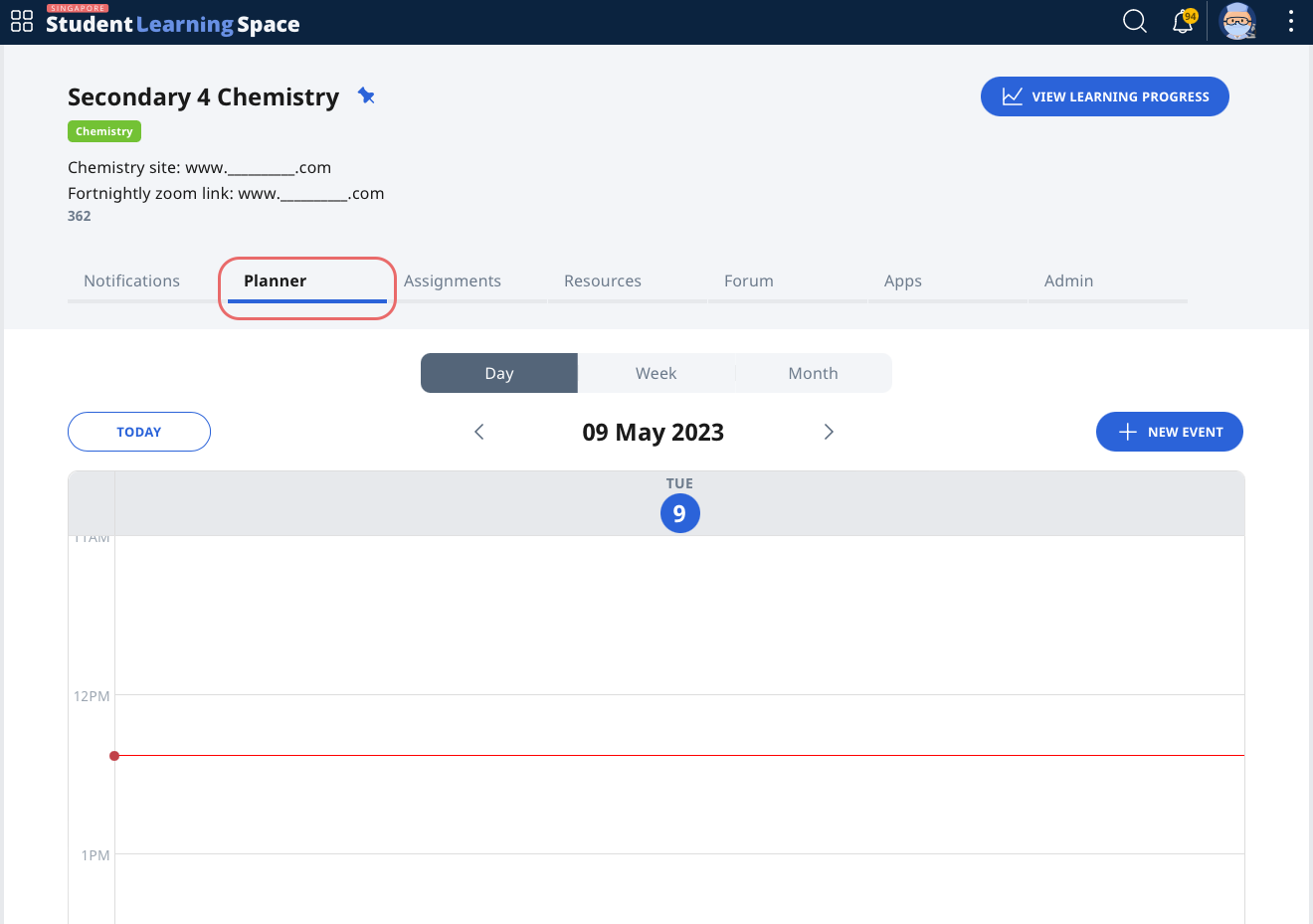
Enter a Class Group and click the Planner tab.
-
-
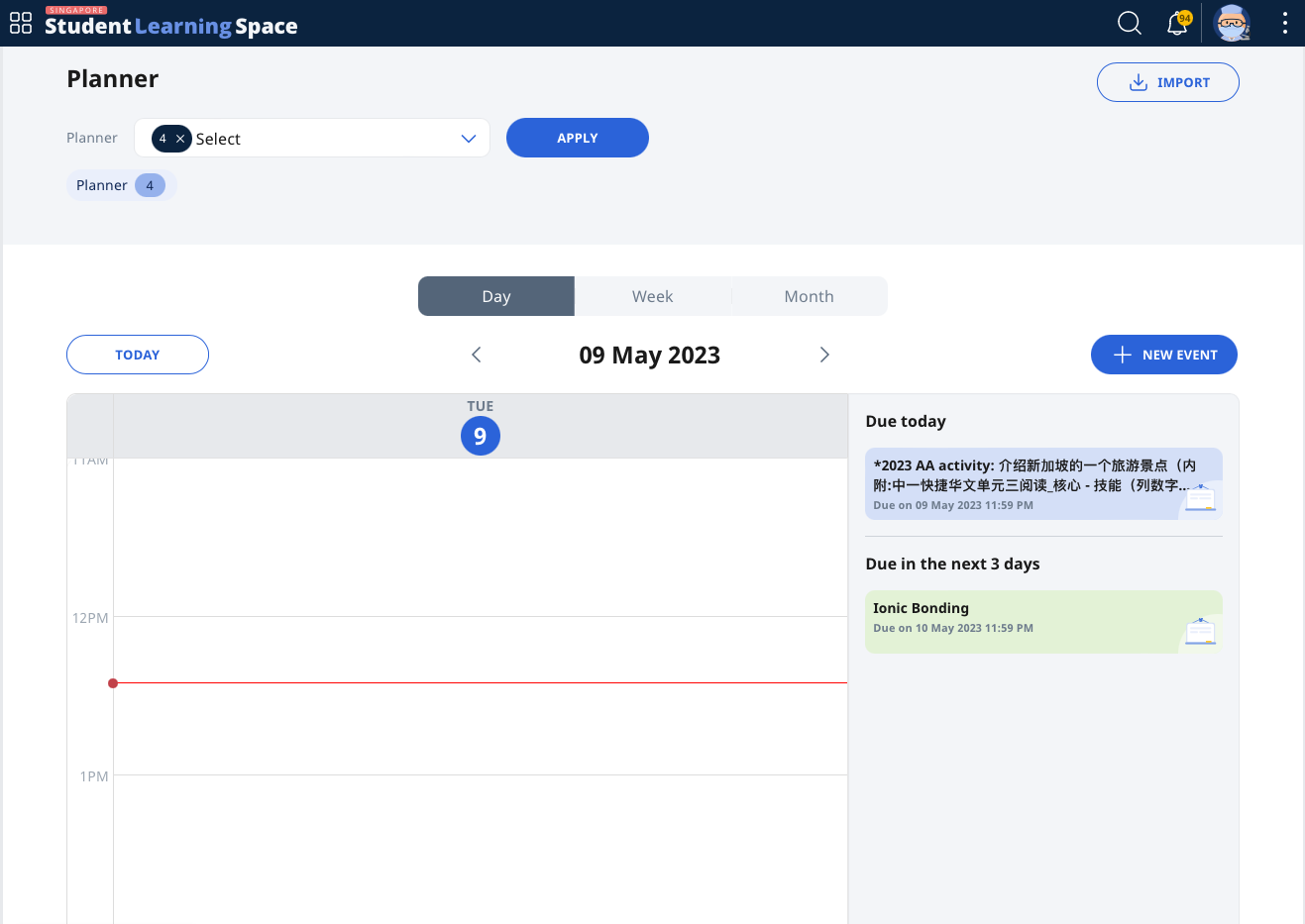
From the Planner dropdown list, select the Class Group(s) you wish to view the events for. Click Apply to proceed. The total number of Class Groups selected is indicated in parenthesis.
Note:
-
When viewing the Planner from a Class Group, you will only be able to view Class Group Events for that particular Class Group.
-
To view certain Class Group Events as default, pin those Class Groups. You may refer to Pin Class Groups for how to do so.
-
-
The Planner may be viewed by Day, Week or Month. Click on the relevant tab for your preferred view.
-
To view other dates, click on the Left or Right Arrows to see the past or future respectively.
-
To return to the current date, click Today.
-
To know what events are happening at the moment, refer to the Red Line.
Did You Know:
Assignment cards will appear under day view if there are assignments due today or in the next 3 days.
Import Events
You may import other calendars into the SLS Planner.
-
On the Planner page, click Import.
-
Upload your calendar file and click Upload to proceed.
-
Only Events that meet the requirement will be imported.
-
Supported Event Details
-
Event name (50 characters)
-
Event description (2000 characters)
-
Event Start Date and Time
-
Event End Date and Time
-
All Day Events
-
-
Events that will not be imported:
-
Events outside of the SLS calendar year
-
Recurring events lasting more than one day
-
-
-
Note: Only the .ics file format is supported. File name character limits and file size limits apply.